
It has happened to almost every watch enthusiast at some point: you have a stunning timepiece on your wrist with incredible finishing, but when you try to photograph it with your smartphone to share it on a forum, WhatsApp group, or Instagram, the result simply doesn’t do it justice. Dark dials, harsh ceiling reflections, or your own phone mirrored on the crystal like an unwanted selfie are the most common issues.
As a specialized product photographer, I am often asked whether thousands of dollars in professional gear are required to capture great watch photos. The short answer is no—though it really depends on what you aim to achieve. While in the studio we rely on flashes, dedicated macro lenses, and camera bodies, the smartphone in your pocket combined with a few simple lighting tricks can dramatically elevate your photography. It won’t look identical to a professional studio shot, but the improvement will be substantial.
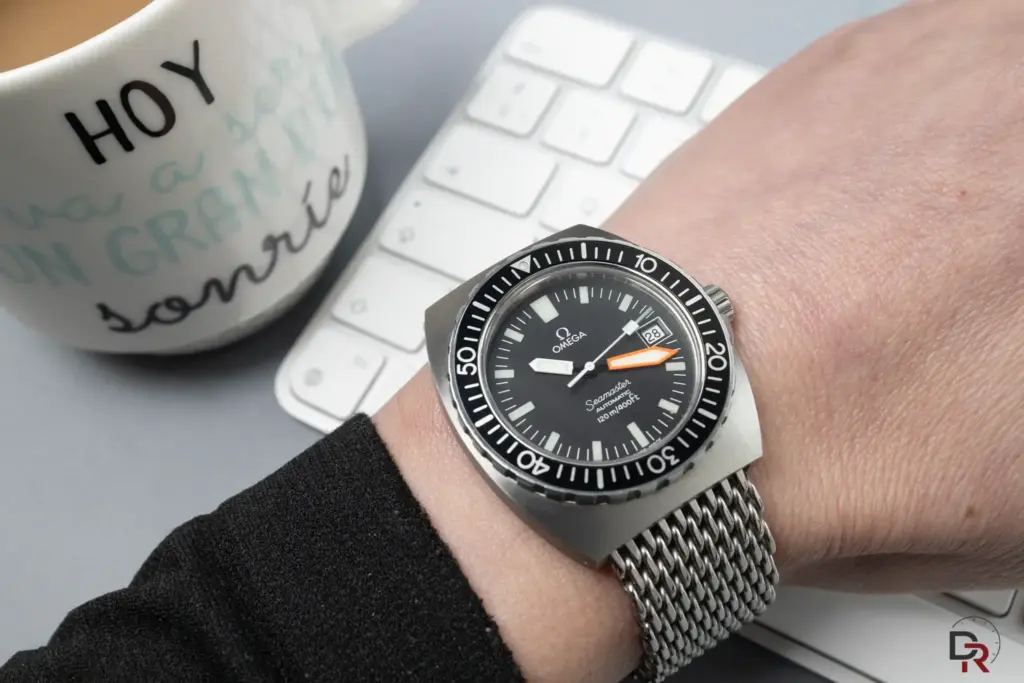
📷 Studio Confession: Although this shot of the Omega Seamaster was taken in the studio using dedicated gear to maximize optical sharpness, the side-lighting layout (soft window light), composition, and reflection control follow the exact same principles as shooting with a smartphone. Light physics doesn’t care which camera is capturing it!
1. Enemy Number One: Watch Cleanliness
It sounds obvious, yet it remains the most common mistake. Smartphone processing algorithms tend to oversharpen images to boost clarity, meaning every single fingerprint, speck of dust, or smudge on the sapphire crystal will be magnified ten times over in the final shot.
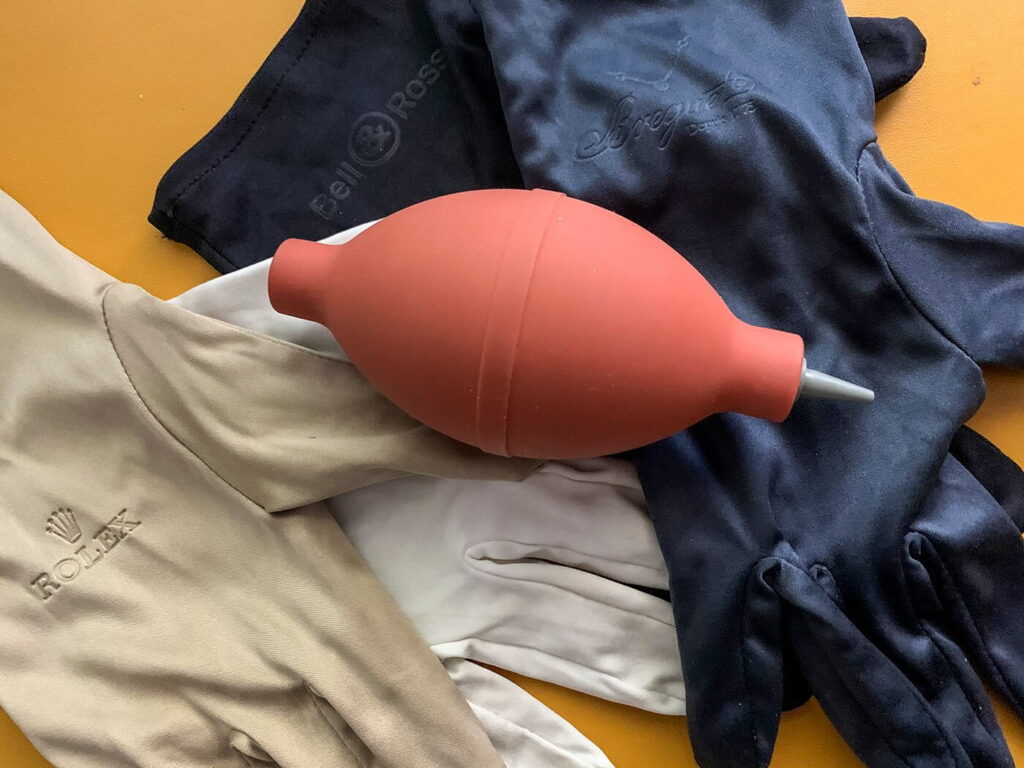
Before pressing the shutter, wipe down the crystal, bezel, and case with a clean microfiber cloth. You’ll save minutes of tedious editing and prevent ruined shots. Compact cleaning kits featuring high-grade microfiber cloths and optical cleaning solution work wonders here, effectively removing oils from both your watch and your phone’s lens. Wear gloves (at least on one hand) when handling the piece, or use a large microfiber cloth to adjust the watch without leaving fresh fingerprints.
🛍️ My Kit Recommendation: If you are looking for a lint-free, professional-grade cloth for optics and watches, try the Zeiss High-Density Microfiber Kit »
2. Controlling Light: Avoid Overhead Lighting and Unwanted Reflections
The main challenge of watch photography stems from the object itself: a small item covered in reflective glass and polished metal. In short, a continuous mirror.
Standard indoor ceiling lights (halogens or bare bulbs) produce harsh hotspots, distracting reflections, and unflattering shadows. Furthermore, mixing warm indoor lighting with cool natural light from a window creates unnatural yellowish and bluish color casts on stainless steel.
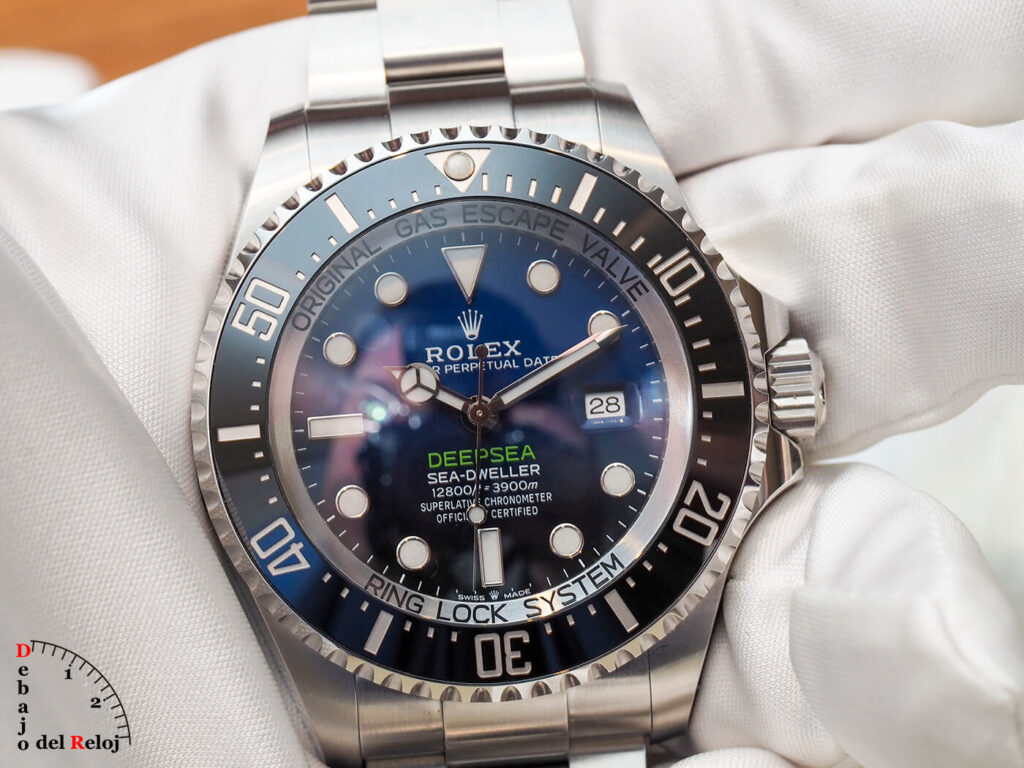
⚠️ What to Avoid: In this photo of a Rolex Deepsea, the domed sapphire crystal clearly captured my reflection holding the camera. It is the most frequent flaw: turning ourselves into the main subject on the dial. Even though this shot was taken with a professional camera, shooting with a smartphone yields the exact same issue, obscuring brand logos and dial textures.
💡 The At-Home Trick: Turn off all artificial ceiling lights and position your setup near a window with indirect sunlight. If the light is too harsh, diffuse it using a sheer white curtain (a window blind works great) or a 30 cm foldable light diffuser disk ». This creates a soft light source that reveals dial texture without harsh glares. Another budget-friendly home alternative is tracing paper. Bonus tip: switching to colored tracing or tissue paper turns your window into a creative color filter to add subtle warm or cool tones to your shot.
🏛️ A Bit of History: Mastering Natural Light is Nothing New
In the 19th century, before high-powered electric lighting existed, photography relied entirely on daylight. The renowned Fratelli Alinari Photographic Establishment (founded in Florence in 1852 and recognized as the oldest photography agency in the world) designed the top floor of its headquarters with massive glass ceilings and walls. To shape daylight according to each portrait or product, they installed a complex system of blinds and curtains to soften shadows and tame harsh reflections. Today, over 170 years later, when you draw your living room curtain to diffuse light over your watch, you are applying the exact same technical principles as early photography pioneers.
3. Avoid Distortion: The Telephoto Lens Rule (2x or 3x)
When aiming to capture fine dial details, the instinctive reaction is to bring the phone physically closer—just inches away from the watch face. This introduces two major problems:
- Lens Distortion: A smartphone’s primary camera is a wide-angle lens. Getting too close deforms the watch case, making proportions look warped and bowed out.
- Shadows and Reflections: Your hand and phone block incoming light, casting dark shadows directly across the dial.
The Solution: Step back about half a meter (1.5–2 feet) and select your phone’s telephoto lens (2x, 3x, or optical zoom mode). This preserves accurate proportions, keeps lug geometry natural, and avoids blocking light from reaching the dial.
⚠️ Common Mistake: Avoid digital zoom by pinching the screen with two fingers. Stick strictly to your phone’s native optical zoom presets (1x, 2x, 3x) to prevent image pixelation and quality loss.
4. Prevent Camera Shake: Use a Mini Tripod
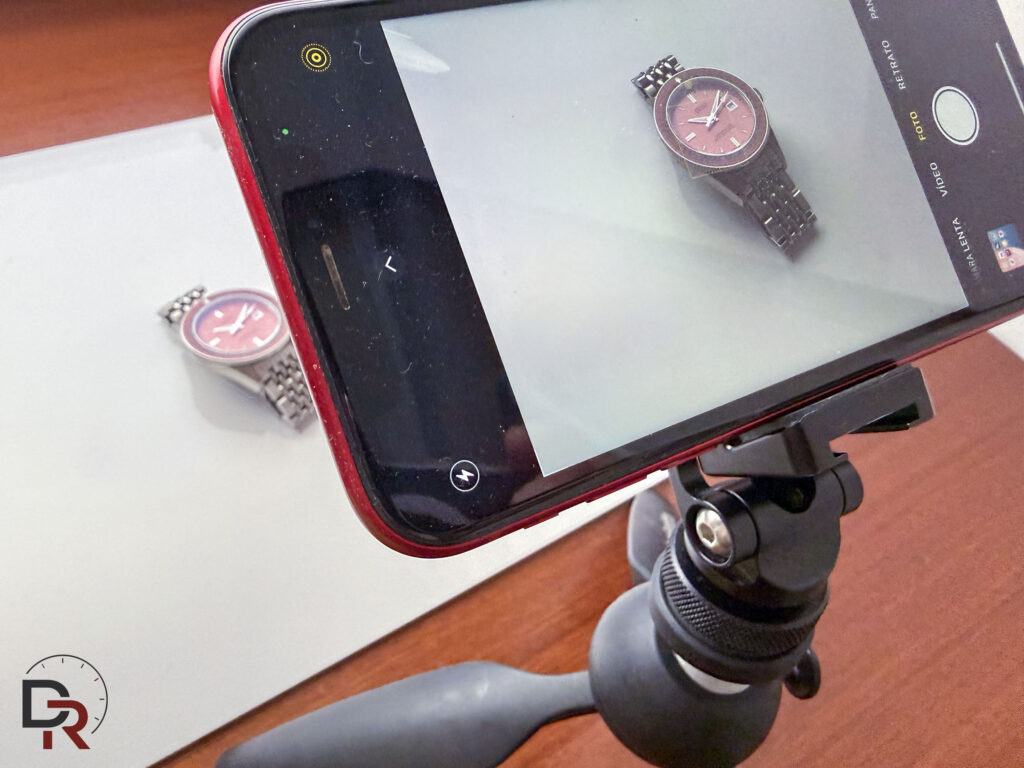
Tripods come in various sizes suitable for any workspace setup. Excellent stable tabletop options include the classic Manfrotto PIXI », or flexible-leg models like the Joby GorillaPod » which can clamp onto virtually any surface. To mount your phone securely, pair the tripod with a universal smartphone mount with metal threading » to keep the camera completely stationary.
5. The Fix for Unsteady Hands: The Timer Function
Tapping the shutter button directly often introduces subtle camera shake. Enabling a shutter delay—such as 3 or 5 seconds—gives you enough time to stabilize your hands, hold the phone firmly, or make minor lighting adjustments without transferring finger motion to the shot.
6. Exposure and Focus Lock (Controlling the Light)
Smartphone cameras automatically attempt to average scene brightness. When photographing a watch with a dark dial, the camera sensor assumes the frame is underexposed and compensates by boosting brightness, blowing out metallic highlights and stripping away contrast.
💡 Screen Tip: Tap your phone screen over the focal area you want to highlight (such as the hands or brand logo). A focus square with a small sun icon will appear. Gently drag the sun downward to lower exposure manually. You will instantly notice rich, deep blacks on the dial and crisp brushwork texture on the steel case.
7. The 10:10 Rule and Framing Composition
Positioning watch hands at 10:10 isn’t just a gimmick or marketing habit. Placing hands in this position frames brand logos neatly at 12 o’clock, avoids obscuring chronograph sub-dials or date apertures (at 3, 6, or 9), and establishes pleasing visual symmetry.
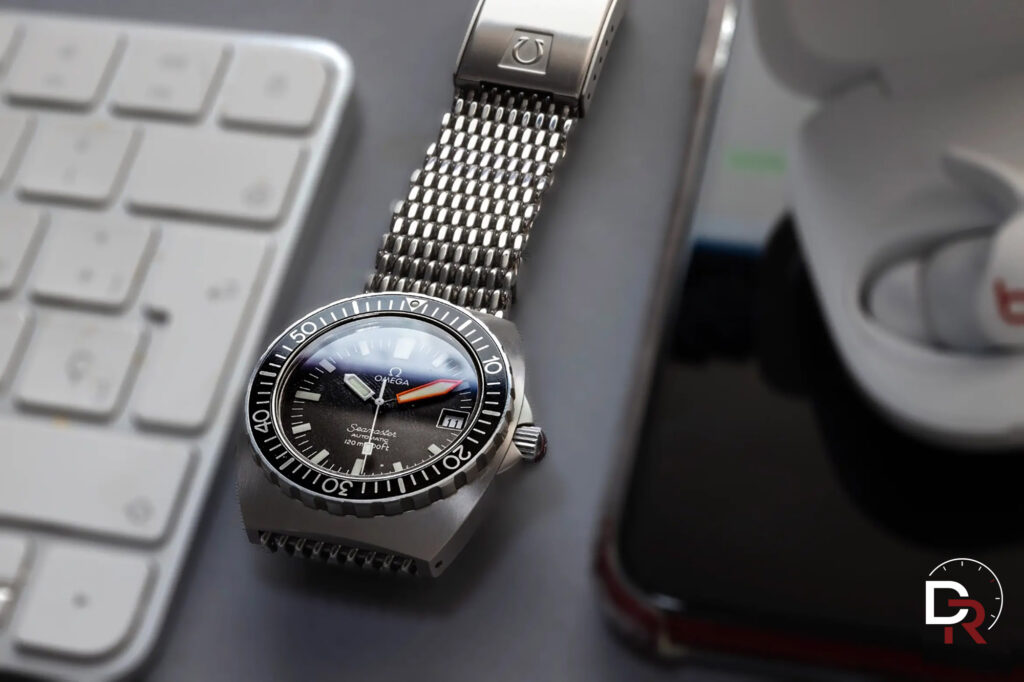
Experiment with neutral or textured backgrounds that add context: a leather jacket, natural wood, newsprint, or linen fabric. Steer clear of cluttered backgrounds that draw attention away from the watch. Look around your home or office with a photographer’s eye—there are endless prop possibilities around you.
Composition requires restraint; avoid overcrowding the frame. Often, a clean surface paired with two well-placed everyday props yields far more compelling results.
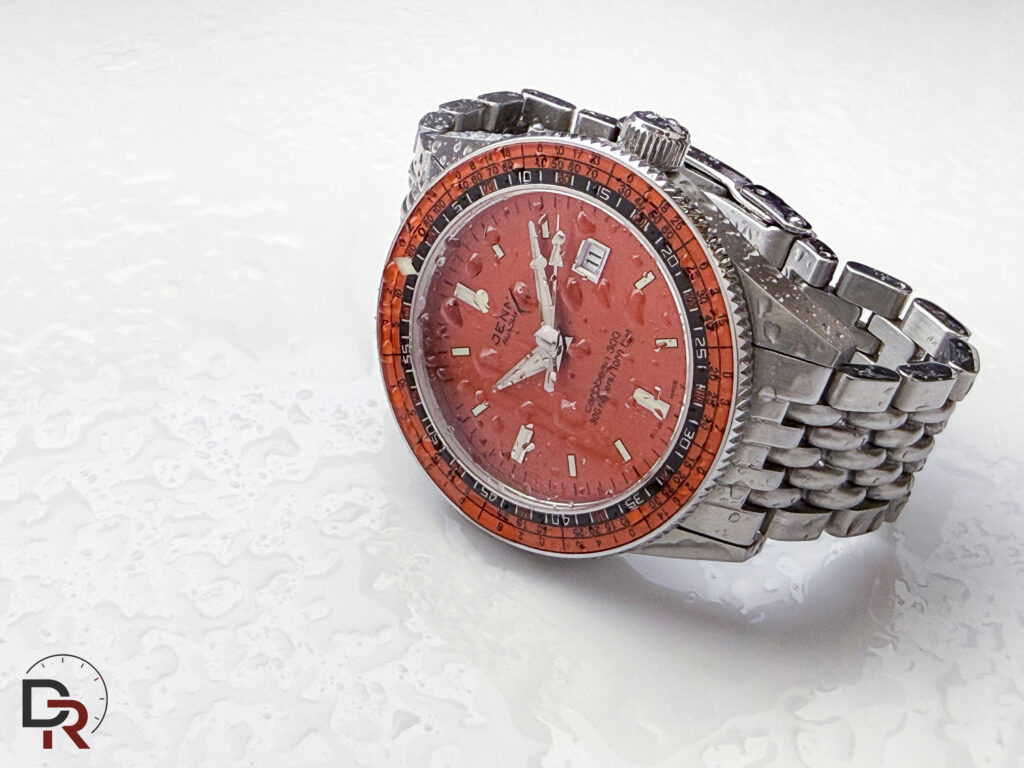
8. Quick 30-Second Mobile Editing
You don’t need desktop software to polish your shots. Free mobile applications like Lightroom Mobile or Snapseed allow quick adjustments that make a huge difference:
- Slightly reduce Highlights to recover fine details on polished metal surfaces.
- Boost Contrast or Clarity moderately to accentuate strap textures and brushed case finishes.
- Adjust Color Temperature (WB) if the image appears overly warm or yellowish.
By applying these simple habits before hitting the shutter button, you’ll notice an instant leap in image quality—achieving clean, high-contrast, and detailed photos that truly do your timepieces justice.
Smartphone vs. Dedicated Camera: Is it Worth Upgrading?
It is an ongoing debate. Have smartphone cameras improved significantly in recent years? Tremendously, especially through computational photography. Do they match dedicated camera quality? In product and watch photography, sensor size still matters. A dedicated camera delivers natural depth of field, sharper optical resolution, and total control when using studio strobes. There is a clear technical reason why high-end macro lenses start around $600.
Nevertheless, a modern smartphone remains a versatile daily tool. By applying sound lighting and composition fundamentals, you can produce catalog-ready watch imagery without lugging around heavy camera equipment.

🤝 Transparency Note: Several product links recommended in this guide are Amazon affiliate links. Purchasing through these links costs you nothing extra while generating a small commission for Debajo del Reloj, directly supporting our independent coverage, hosting costs, and in-depth studio reviews. Thank you for your support!
📸 CONTINUE THE TECHNICAL GUIDE
How to Photograph Watches (Part 2): Crystals, Dials & Lighting
Master glare control on sapphire crystals, studio light setups for complex dials, and advanced macro techniques.